

In Shiftbase, you have a profile where you can manage your personal details, language, login credentials, notification preferences and files.
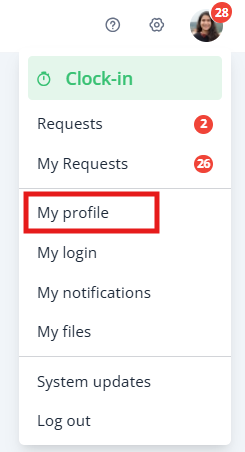
To access your profile, click on your initials on the top right of the screen and select My profile.
Content
My profile
In your profile, you can manage the language that Shiftbase is displayed and your personal details.
- Profile picture: Click on your initials to change
- Personal details: First name, last name and prefix
- Address details: Address, city & postal code
- Official details: Birth date and place, nationality, ID/Passport number, SSN and bank account number
💡 Tip: If you wish to have more fields, you can set these up with Custom fields.
My login
At the My login page, you can change all your login credentials like your email address, password, kiosk code and MFA method.
- Login credentials: By entering your new email address or password and pressing Save, you will change your login credentials for Shiftbase.
- Kiosk code: Your kiosk code is displayed when you click on the eye-icon. If you wish to change your code, you can press Change pin code.
- Multifactor authentication: Here, you can set up your multifactor authentication method. Read our guide how to set it up and recover your login
💡 Tip: Your password must be at least 10 characters long, contain at least one number and one special character, and consist of a combination of upper and lower case letters.
⚠️ Warning: Your set email address is also your username. So if you change this, the login details will also change immediately. All notifications from Shiftbase will now also be sent to the new address.
My notifications
On this page, you can change your personal notification settings. Read our article on general notification settings and which role should receive them in the first place.
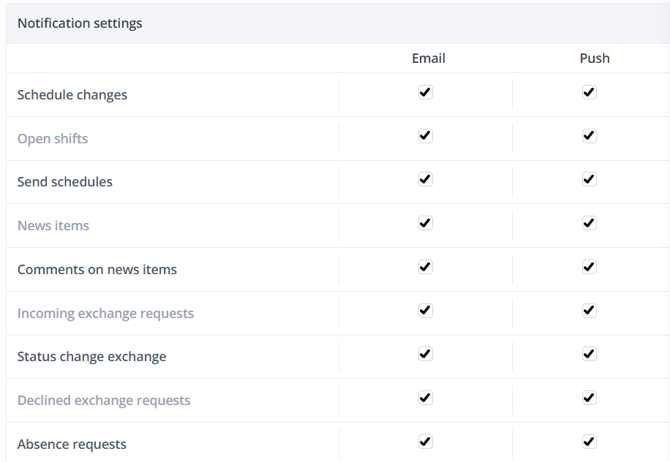
💡 Tip: By default, users with Employee permissions can only set shift and clock reminders.
-
Shift reminder: Here, you can set if and when you will receive a reminder for your next shift. For example, you can receive an e-mail or a push message when your next shift starts.
- Clock-in reminder: Here, you can set if and when you will receive a reminder if you are scheduled but have not yet clocked in. If you have forgotten to do so, you will receive a message via e-mail or a push message when you should have clocked in according to the schedule.
- Clock-out reminder: Here, you can set if and when you will receive a reminder if you are scheduled but have not yet clocked out. If you have forgotten to do so, you will receive a message via e-mail or a push message when you should have clocked out according to the schedule.

My files
Shiftbase offers employees and managers the possibility of adding files to view company files and their personal profile. For example, it is possible to store a contract, ID/passport card number, driving licence or passport. Also, sick certificates can be uploaded here and be looked into by planners and managers.
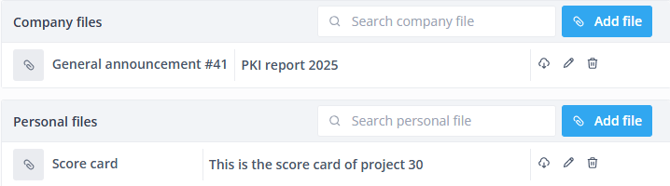
- Company files: Here, you can upload a file which is accessible to the whole Shiftbase account. The company files can also be uploaded through News > Files. Make sure you have permission for Account settings to be able to do so.
- Personal files: At the personal files, you can view and upload any personal file and add an expiration date if necessary. These are only visible for the employee if the checkbox is enabled.
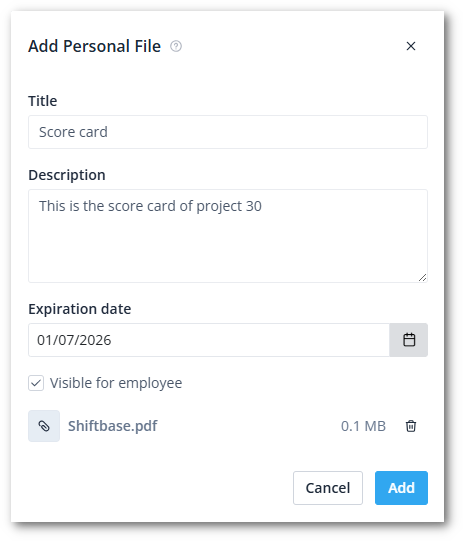
💡 Tip: By default, users with Employee permissions cannot add or edit their own files. If you wish to enable this, simply check the Own files permissions.