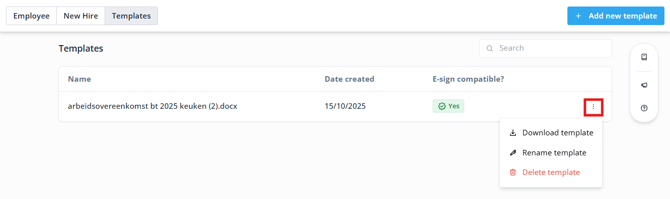
To use HR Pro it's Hiring functionality, contract templates are essential for the flow, whether hiring a new or former employee or extending the contract of an existing employee.
Contents
Preparing the contract template
About e-sign
HR PRO uses Simple Electronic Signatures (SES) provided by DocuSign — a secure and legally binding way to sign employment contracts that complies with EU regulations. An SES is:
- Is legally valid under the eIDAS regulation
- Includes an audit trail with key signing details (such as timestamps and signer information)
- Protects the document against changes after signing
E-sign lets you:
- Send contracts for digital signature from within Shiftbase
- Have both parties sign in order, first the employer, then the employee
- Store the signed PDF automatically in the employee profile
Adding a new template
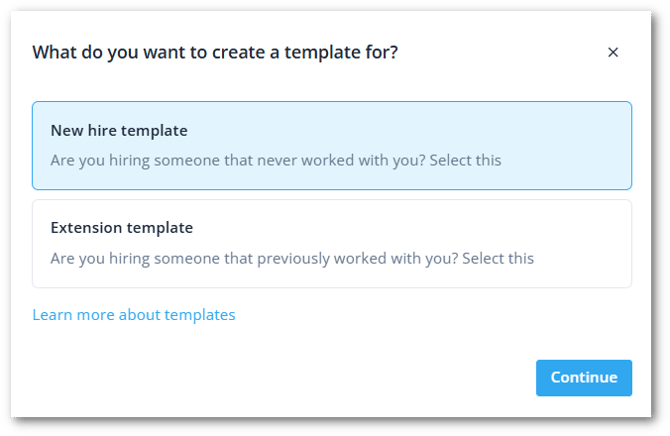
To get started, go to Hiring > Templates and select Add new template on the top right.
Before adding your template, you will select the type of template you want to create. Either a full employment contract or an extension letter.
How to prepare your template
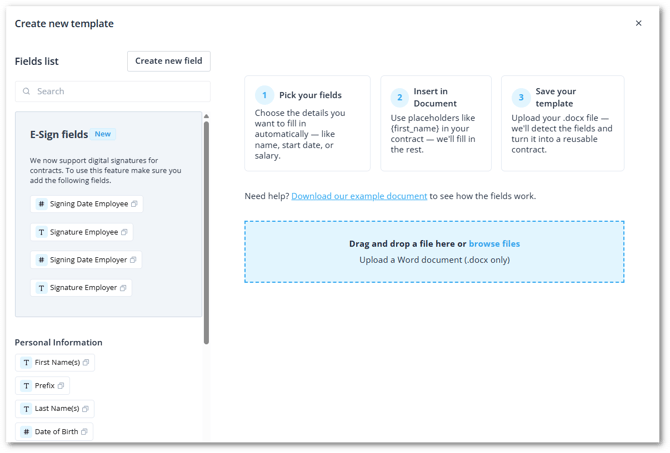
Once you have selected a category, you will now customize your template.
This page includes a full list of supported fields you can use as placeholders in your contract — things like {first_name}, {address}, and {start_date}.
- Get your contract file ready in .docx format next to your Shiftbase screen.
- Copy and paste the dynamic fields like {first_name} from the left side, next to the static fields in the .docx contract.
- Add new fields if you require additional fields in the contract. Click on Create new field to make your own.
- Insert the E-Sign fields for the digital signature. To use e-signatures, your contract template must include the following required fields:
-
-
{signature_employee} -
{signature_employer} -
{signing_date_employee} -
{signing_date_employer}
-
-
- Upload your updated file right there on the page.
💡 Tip: If you’re unsure how the fields work, download our example template directly from the upload screen.
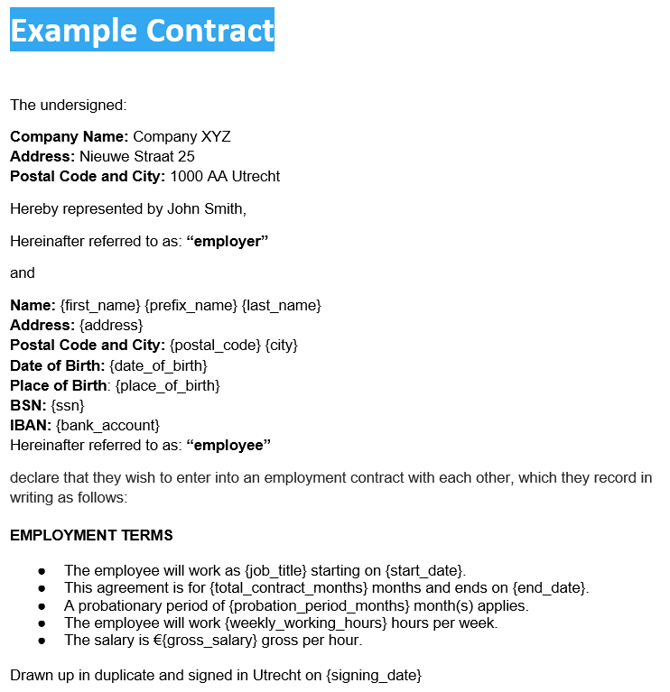
Once uploaded, Shiftbase will scan your document and highlight:
- ✅ Identified fields that will be filled automatically for each new hire
- ⚠️ Unidentified fields that you may need to fix or manually complete later
If there are unidentified fields, you can edit your template and re-upload it or add custom fields to fit any type of data you may need to use in your template.