

This integration allows you to export data on employees, worked hours, schedules, contracts, and absences from Shiftbase to CAO/API. We will find out how to set up the integration in this article.
Content
Requesting the integration
To get started, you can navigate in Shiftbase to Settings > App Center > CAO/API. Here, you can look for the tile for CAO/API under the category Management. Once you have located the tile, you can click on the Request button.
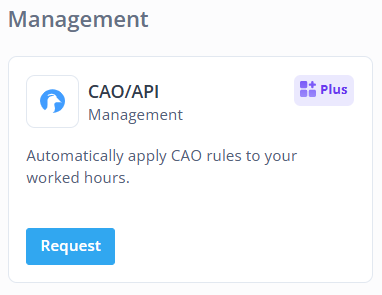
Once you have clicked on Request, you will be asked to fill in the following details
-
Mapping name: Give a name to the integration. This can be edited later.
-
You Company name: State the name of your organisation as known in CAO/API.
-
Contact person name: State your name or the name of the person managing the configurations.
-
Contact person phone number: Give the phone number of the contact person.
-
Contact person email address: Give the email address of the contact person.
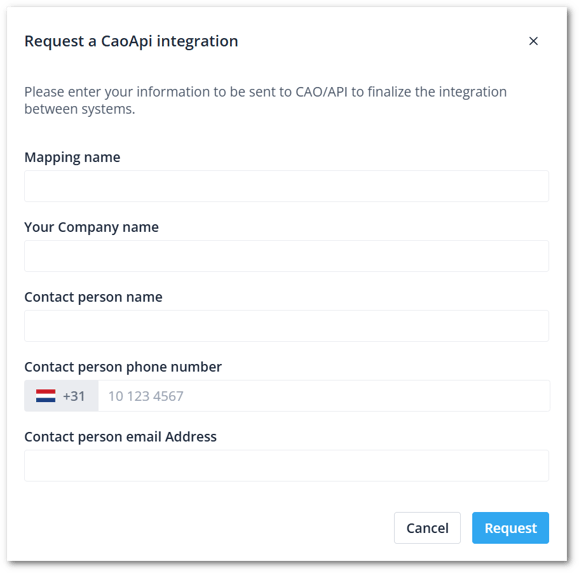
After you have clicked on Request, this form will be sent to CAO | API. They will contact you for further steps. This request is sent instantly, so you can also contact them for further actions.
Configuring the integration
Once the integration is set up, you can click on the tile. Now you will see the active integration you have with CAO/API. Here, you can share the API key, change the name of the integration, or deactivate the key once it's no longer needed.

💡 Tip: This integration is built and managed by CAO/API. For further detail and configuration, you can request support of CAO/API.