

Shiftbase Labs gives you early access to new features before they are released to everyone. Each Labs feature is designed to make your work easier or faster. Think navigating the product more efficiently, reducing admin time, or simplifying tasks you do every day.
You get to benefit sooner and your feedback helps us make each feature even better before they are definitive.
💡 Tip: Enabling Labs is optional. You can turn it on or off at any time.
Content
How to enable Shiftbase Labs
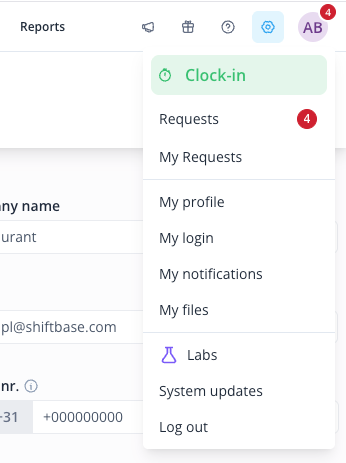
- Click your profile icon in the top-right corner of Shiftbase.
- Select Labs from the menu.
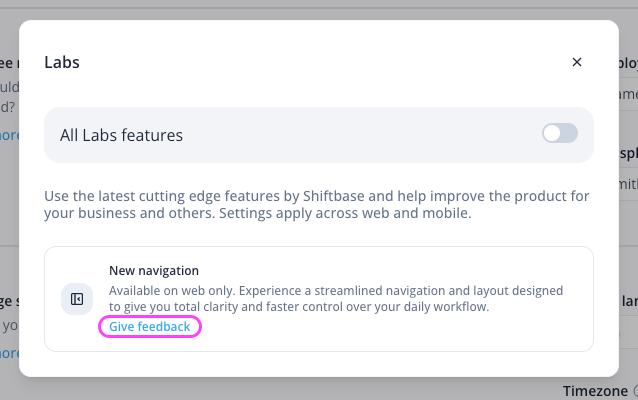
- Toggle All Labs features on.
Once enabled, all features currently in Labs become active. Enabling Labs applies to your account on both web and mobile, though individual features may be web or mobile app only.
To opt out, follow the same steps and turn the toggle off.
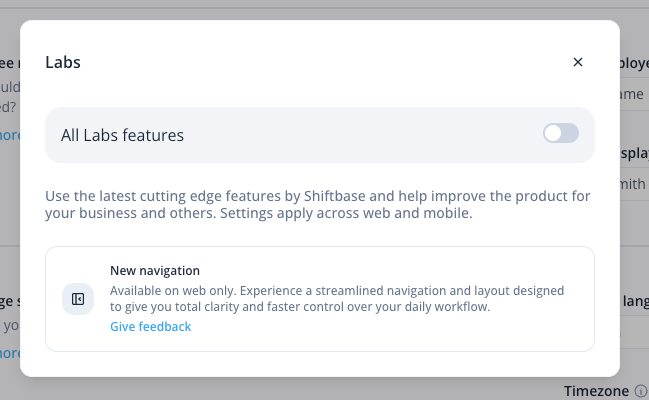
Each feature in Labs has a Give feedback link directly on its card. Click it to share what's working, what isn't, or what you'd like to see changed.
We read every submission. Your input directly shapes how we develop and improve these features.
Current feature in Labs: New Timesheet Experience (Priority View)
Priority View is a new timesheet view built to make reviewing and approving hours faster. It's now available in Labs for you to try, alongside the timesheet views you already use
What's new
Here are some of the key changes you'll notice. Based on your feedback, things may be refined and more changes may be added while Priority View is in Labs.
- A new Priority View: For now, Priority View lives alongside your existing timesheet views. You can switch to it when you want to work through approvals, and keep using the views you know for everything else.
- Faster approvals: Clean entries can be reviewed and approved in seconds.
- Deviations surfaced up front: Conflicts and deviations are highlighted directly in the view, so you can work through them where they appear instead of searching for them.
- Week and month views: View timesheet data per week or per month, so you can work at the level that fits your approval cycle.
What this means for you
Reviewing timesheets takes less time and less attention. Instead of scanning everything to find what needs your input, Priority View puts the entries that need a decision in front of you and lets the rest through quickly. The result is less admin work in your week, particularly around payroll preparation.
What to expect
Labs features are stable and ready to use in your day-to-day work. That said, you may occasionally run into a small bug or a rough edge. We actively monitor Labs features and are quick to address any issues.
If something you'd normally do in the existing timesheet view isn't available in Priority View yet, use the Give feedback link and let us know. That's exactly the kind of input we're looking for while it's in Labs.
Who it's for?
Managers, HR and admins who review and approve timesheets.
Current feature in Labs: New Navigation
We've redesigned the way you move around Shiftbase. The new navigation is now available in Labs for you to try.
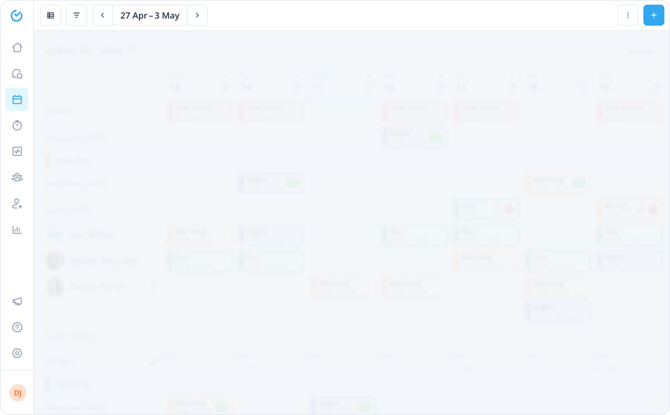
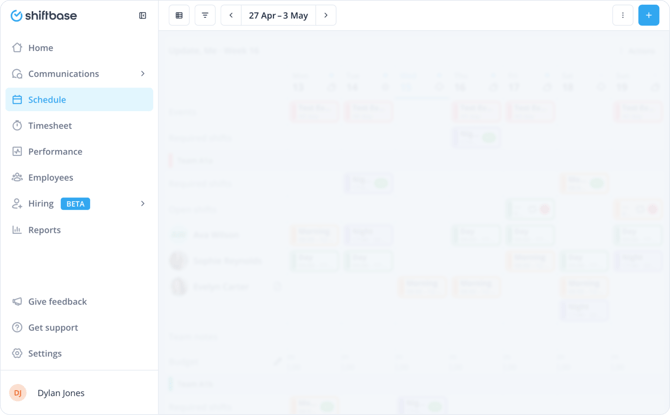
📝 Note: The new navigation is available on the desktop web app only. It does not affect the Shiftbase mobile app.
What's new
Here are some of the key changes you'll notice. Based on your feedback, things may be refined and more changes may be added while the new navigation is in Labs.
- Vertical sidebar: A new side panel replaces the top navigation, giving you faster access to all sections of the product.
- Updated page and section headers: Pages have a cleaner, more consistent layout. View information is consistently shown on the left, while action buttons are grouped on the right, making it easier to find what you need at a glance.
- Learn tab: Click Get Support in the vertical sidebar and select the Learn tab to access the Shiftbase knowledge base and Shiftbase Academy (available in Dutch and German) in one place.
What this means for you
The new navigation is faster and easier to move through. It brings a consistent look and feel across the entire product, so everything works the way you'd expect no matter where you are. It also gives us a solid foundation to keep building on, meaning new features and capabilities will slot in smoothly as Shiftbase grows.
What to expect
Labs features are stable and ready to use in your day-to-day work. That said, you may occasionally run into a small bug or a rough edge. We actively monitor Labs features and are quick to address any issues. If you notice something, please use the Give feedback link to let us know.
Who it's for?
All Shiftbase users. Whether you're new to the product or have been using it for years, the new navigation is designed to work better for everyone.