

What's new
Here are some of the key changes you'll notice.
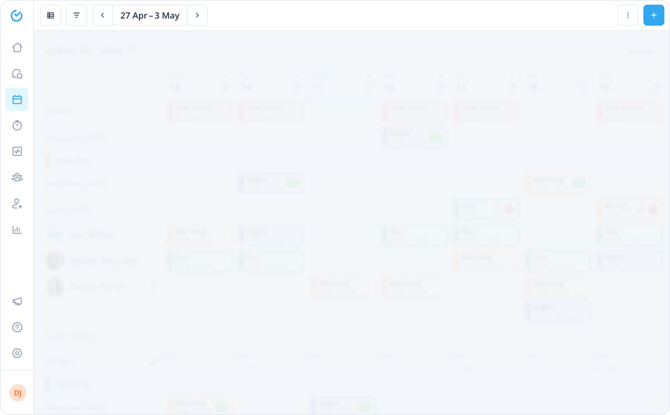
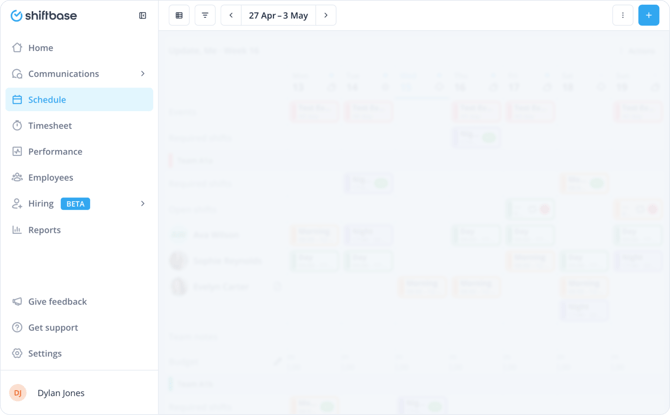
- Vertical sidebar: A new side panel replaces the top navigation, giving you faster access to all sections of the product. Click on the empty space in the sidebar to expand the menus.
- Updated page and section headers: Pages have a cleaner, more consistent layout. View information is consistently shown on the left, while action buttons are grouped on the right, making it easier to find what you need at a glance.
- Learn tab: Click Get Support in the vertical sidebar and select the Learn tab to access the Shiftbase knowledge base and Shiftbase Academy (available in Dutch and German) in one place.
📝 Note: The new navigation is available on the desktop web app only. It does not affect the Shiftbase mobile app.
What this means for you
The new navigation is faster and easier to move through. It brings a consistent look and feel across the entire product, so everything works the way you'd expect no matter where you are. It also gives us a solid foundation to keep building on, meaning new features and capabilities will slot in smoothly as Shiftbase grows.
What to expect
We actively monitor the new navigation and are quick to address any issues. If you notice something, please reach out to our customer support.
Who it's for
All Shiftbase users. Whether you're new to the product or have been using it for years, the new navigation is designed to work better for everyone.